5 Best API Documentation Tools for Developers (2026)
 Jamdesk Team
Fair warning before you read on: we make Jamdesk, so it sits at number one and the rest are numbered for convenience, not ranked by merit. If you just want the short answer, it comes down to how your team writes. Jamdesk and Mintlify both give you a Git-based MDX workflow — we include AI chat on every plan, Mintlify meters it by credits. When non-developers edit the docs, reach for GitBook. Docusaurus trades maintenance hours for total control; Postman only earns its place if your team already lives in it. Prices below were re-checked in June 2026; the long version, with the trade-offs, is underneath.
We've been building Jamdesk, documentation software for developers, and that means we've spent a lot of time evaluating, using, or competing against every tool on this list. Also at our previous company building social media APIs, the API docs were a core product and our best lead gen...so yeah, we have some opinions.
So let's be upfront: this isn't a neutral ranking. We put Jamdesk first because we built it, and the numbering is for convenience, not a leaderboard. The other four are genuinely good tools, and for plenty of teams one of them is the better fit. We say so under each.
The best software documentation tools fit your actual workflow, whether that's writing Markdown, syncing an OpenAPI spec, or generating a first draft with an AI agent. (If you're not using an LLM to help write your docs, you should be — emphasis on help, not handing the whole thing over.)
We've spent the past few years testing, switching between, and arguing about the docs platforms on this list. We ran a real project through GitBook, then Mintlify, before building Jamdesk, and tested the rest against our own OpenAPI spec.
Here is a quick outline of what we'll review:
- What Makes the Best API Documentation Tool?
- Quick Comparison Table
- AI Chat for Documentation Visitors
- Jamdesk (Our Pick, Cause That's Us)
- Docusaurus
- Mintlify
- GitBook
- Postman
- Honorable Mentions
- FAQ
- Conclusion
Last updated: June 25, 2026. Pricing and features re-verified.
What Makes the Best API Documentation Tool?
These are our thoughts on what we look for in a great software documentation tool.
- Great-looking, well-organized docs: You're probably thinking that LLMs are now the consumers of the content (more on that later), and while it's trending that way, we're not there yet. Today your primary consumers are still good ol' fashioned flesh & blood developers, product managers, or CTOs. This means your docs need to be easy to read, well organized, and nice looking.
- Writer experience: If your docs tool requires a WYSIWYG editor and you're a Markdown person (or someone on your team is), you're going to hate your life. The tool should match how your team writes. Bonus points for MDX, which is Markdown + JSX (React components). Maintenance overhead matters just as much. Software documentation rots fast, and if updating docs means a separate deploy pipeline from your code, they will drift. The best tools sync with your Git repo so docs stay accurate alongside your codebase.
- OpenAPI support matters: OpenAPI allows you to automatically turn your specs into interactive docs, which saves you time and maintenance cost. Look for native ingestion of
swagger.jsonor OpenAPI 3.x YAML with automatic$refresolution. The difference between "import" and "sync" matters too. One-time imports go stale just like hand-written docs. - AI-readiness: In 2026 this has become a hard requirement. As mentioned above, developers aren't the only ones reading your docs, LLMs and AI agents are too. If your docs aren't structured for machine consumption (
llms.txt, MCP servers, raw markdown endpoints), you're invisible to a growing chunk of your potential users. This isn't theoretical: last month, thousands of requests to our own docs came from AI crawlers — GPTBot, ClaudeBot, and PerplexityBot were the top three. We even built a 100-point rubric and scored seven docs platforms on exactly this. On pure AI-friendliness, Mintlify edged us out, 87 to 85. - Built-in AI chat: Related to AI-readiness but distinct: can visitors ask questions and get answers from your docs without leaving the page? A chat assistant that retrieves relevant sections and responds with citations helps visitors find answers without filing a support ticket - so it also saves your support team from having to answer basic questions. Some tools include this, some charge extra for it, and some don't offer it at all.
We've also included verified pricing for every tool because most comparison articles don't, and pricing pages have a habit of changing quarterly.
Quick Comparison Table
Side-by-side of the five tools we evaluated. Pricing verified June 2026.
| Tool | Best For | OpenAPI | AI-Ready | Price |
|---|---|---|---|---|
| Jamdesk | AI-first dev workflows | Native | Yes (llms.txt, MCP, .md) |
Free trial, $29/mo |
| Docusaurus | React stacks, full control | Via plugin | No | Free |
| Mintlify | Beautiful docs, fast setup | Native | Yes (llms.txt, MCP, .md) |
Free base, AI on credits |
| GitBook | Non-technical contributors | Native | Yes (llms.txt, MCP, .md) |
Free, $65/site/mo |
| Postman | Teams already testing there | Import only | No | Free (1 user), $19/user/mo |
AI Chat for Documentation Visitors
Not all tools include a built-in chat assistant that answers questions from your docs. How they compare:
| Tool | AI Chat | Chat Cost |
|---|---|---|
| Jamdesk | Built-in (RAG + citations) | Included, all plans |
| Docusaurus | None (third-party required) | Varies |
| Mintlify | On Starter (credit-metered) | Credits from $100/mo |
| GitBook | AI search, Premium+ | $65/site/mo + overage |
| ReadMe | Add-on (Ask AI) | $150/mo add-on |
| Postman | None on published docs | N/A |
ReadMe isn't one of our five picks (it's in Honorable Mentions below), but we list it here for chat-cost comparison.
AI-Ready = machine-readable outputs (llms.txt, MCP server, structured markdown endpoints) so LLMs and AI agents can consume your docs. This is separate from reader-facing AI chat. See the AI chat comparison.
1. Jamdesk

We built Jamdesk because we kept hitting the same walls with existing tools.
Jamdesk is a software documentation tool built around how developers actually work: write in MDX (Markdown with JSX components), store it in Git, deploy on merge, and included AI Chat. Your docs live next to your code and follow the same review process.
Take a quick glance at how our docs look.
You can manually create API docs and request/response examples when you need granular control over what developers see, or point Jamdesk at your OpenAPI 3.x spec in YAML or JSON and auto-generate interactive endpoints with $ref resolution handled for you.
Wiring up an endpoint takes one line of frontmatter:
---
title: "Create User"
openapi: /openapi/spec.yaml POST /users
---
That gives you request parameters, response schemas, and code examples in multiple languages, all pulled from your spec.
The docs-as-code workflow is the part we use daily. Write MDX in your editor, commit to Git, review in a PR, and your docs deploy on merge. If a developer changes an API endpoint and updates docs in the same PR, the reviewer sees both changes together. No drift.
AI-Ready Docs
AI-readiness is where we've spent the most engineering time. In 2026, your docs need to serve two audiences: humans and machines. Three features ship automatically.
1. Every site gets a standardized llms.txt endpoint, which is a page index and full-content dump that LLMs can consume directly, no configuration needed. For example:
curl https://your-docs.jamdesk.app/llms.txt2. A built-in MCP server lets AI agents query your docs programmatically via the Model Context Protocol.
3. Two tools out of the box: searchDocs and getPage, so agents don't have to scrape HTML. And you can append .md to any docs page URL to get clean markdown. No parsing, no scraping, no HTML mangling.
Beyond machine consumption, every Jamdesk site also ships with a built-in AI chat assistant at no additional cost. Visitors click "Ask AI," type a question, and get a streamed response grounded in your documentation with citation links back to the source pages. Under the hood it's a RAG pipeline: your pages are chunked and indexed as vector embeddings during each build, and queries run hybrid keyword + semantic search before hitting Claude for an answer. It's included on all plans at no extra cost.
There's also a dashboard for builds and deployments, a CLI that previews docs locally and flags broken links and bad OpenAPI refs before you ship, and customizable themes.
End Notes:
- jamdesk.com | quickstart guide
- Pricing: 14-day free trial with full access, card required, $0 today. Pro is $29/month. Enterprise is custom.
- OpenAPI 3.x (YAML or JSON) supported natively, out of the box.
Jamdesk is newer, which means fewer secondary features: no i18n, docs versioning, or WYSIWYG editor yet. No free tier beyond the 14-day trial either; if you need permanently free hosting, look at Docusaurus or GitBook's Basic plan.
2. Docusaurus

Docusaurus is Meta's open-source static site generator, built on React, and is self-hosted. It renders MDX to plain HTML with no server needed. Meta uses it for their own docs, and so do React, Jest, Babel, and dozens of other major open-source projects. If you're evaluating documentation tools, you'll probably compare everything to Docusaurus at some point, because it's free, it's been around for a while, and it does mostly everything.
Mostly because Docusaurus is self-hosted, so you're maintaining a React application just to have documentation and all the headaches that come with it. For example, when docusaurus.config.ts breaks after a major version bump, that's your Friday night. The hands-on maintenance is what wore us down: we spent more time on Docusaurus builds and configs than on writing actual documentation, and it's the kind of tool that works beautifully for the first six months and then quietly becomes someone's part-time job. That said, a lot of that config-wrangling is now the sort of thing an AI coding assistant handles for you, so the maintenance tax may be lighter today than it was for us. Your mileage may vary.
The ecosystem makes up for a lot of that pain, though. Algolia DocSearch for search, deep theme customization, built-in versioning and i18n. Most hosted tools charge extra for these. If you need something specific (custom sidebar, code playground, API explorer), you can build it in React and drop it in. No other tool on this list gives you that level of control.
OpenAPI support comes via the community plugin docusaurus-plugin-openapi-docs. It works, but it requires manual setup in your config and doesn't auto-sync on spec changes without additional CI work. Updating your spec means rebuilding and redeploying. There are also no AI-readiness features: no llms.txt, no MCP server, no structured markdown endpoints. You'd have to build all of that yourself or use a community plugin. And the default theme screams "generic React app" unless you invest real CSS time.
No built-in AI chat either. If you want visitors to ask questions from your docs, you're looking at Algolia's paid Ask AI (bring your own LLM key), or a third-party widget like Biel.ai or DocuScout.
End Notes:
- docusaurus.io | getting started
- Pricing: Free
- Free and endlessly flexible, but you maintain the React app yourself and bolt on community plugins for OpenAPI and AI-readiness.
3. Mintlify

Mintlify has earned its reputation for one reason: it makes docs look good without a designer. Dark mode, clean typography, responsive layout, all out of the box and no CSS required. You write MDX, push to your Git repo, and Mintlify deploys it. They've also built AI features for documentation drafting and llms.txt generation, plus analytics that show where developers get stuck, which is genuinely useful for iterating on content.
The big news in 2026 is that the free tier (now called Starter) got genuinely good: custom domains, API playground, custom components, the works. A solo developer or a small open-source project can run a production-quality docs site on Mintlify without paying a cent. That changes the math if you're comparing hosted tools.
Where it gets complicated is the AI. Mintlify dropped the old $300/month team tier, which sounds like a win until you read the credits page. The AI features (the assistant, the writing agent) now run on credits: 5,000 free your first month, then nothing recurring, so real usage means buying bundles that start at $100/month for 10,250 credits and climb to $1,000. Overage is a cent a credit. The flat price went away; the AI bill didn't. OpenAPI support is native, with an interactive playground auto-generated from your spec. Customization beyond their component library means learning Mintlify's particular MDX flavor, which doesn't always behave like standard MDX.
One more thing: Mintlify's AI chat assistant, the one that answers visitor questions from your docs, draws on that same credit pool. It's on Starter now, which is an improvement, but a busy docs site burns through credits fast, so budget for it.
End Notes:
- mintlify.com | quickstart guide
- Pricing: Free Starter tier (fully functional). AI runs on credits: 5,000 free the first month, then bundles from $100/month, or $0.01 per credit. Enterprise is custom.
- OpenAPI is native with an auto-generated interactive playground.
4. GitBook

GitBook is the tool you reach for when your PM keeps asking for edit access and you don't want to teach them Markdown, even though we think Markdown is pretty easy. It started as a book-writing tool and evolved into a knowledge base with a block-based WYSIWYG editor (drag-and-drop blocks, slash commands, the Notion pattern). Bi-directional Git sync with GitHub/GitLab means developers can keep working in their editor while non-technical contributors use the web UI. Inline comments, change requests, and a clean collaboration interface make it feel more like Google Docs than a developer tool.
That accessibility is what makes GitBook good, and also what limits it. The published output looks more like an internal wiki than a polished API reference. If you're trying to match the feel of Stripe's or Twilio's docs, GitBook won't get you there without significant customization effort. It works well for teams where multiple roles contribute, but it prioritizes approachability over technical depth. OpenAPI support is native with interactive docs generated from your spec, and AI-readiness is solid too. GitBook auto-generates llms.txt and llms-full.txt, supports .md URLs for any page, and hosts an MCP server for published docs.
Pricing is where GitBook gets tricky. The free Basic tier is limited to a single user, which works for personal projects but not teams. On the monthly plan, Premium is $65/site/month + $12 per additional user. Note the per-site part: if you need separate docs for multiple products, you're paying that base fee for each one. Costs add up fast, and their pricing page makes it harder to figure out than it should be.
GitBook's AI-powered search is available starting at the Premium tier. It works within a single space, but cross-site AI search requires the Ultimate plan at $249/site/month. The per-site pricing model means costs scale with each documentation project you maintain.
End Notes:
- gitbook.com | quickstart guide
- Pricing: Free tier, no custom domain or AI. Paid plans start at Premium: GitBook pricing at $65/site/month plus $12 per user; Ultimate is $249/site/month on the monthly plan.
- OpenAPI is native with interactive docs from your spec.
At our previous company we ran on GitBook for years, then moved to Mintlify when we needed more flexibility — we weren't fans of how GitBook displayed API docs. Jamdesk came later.
5. Postman
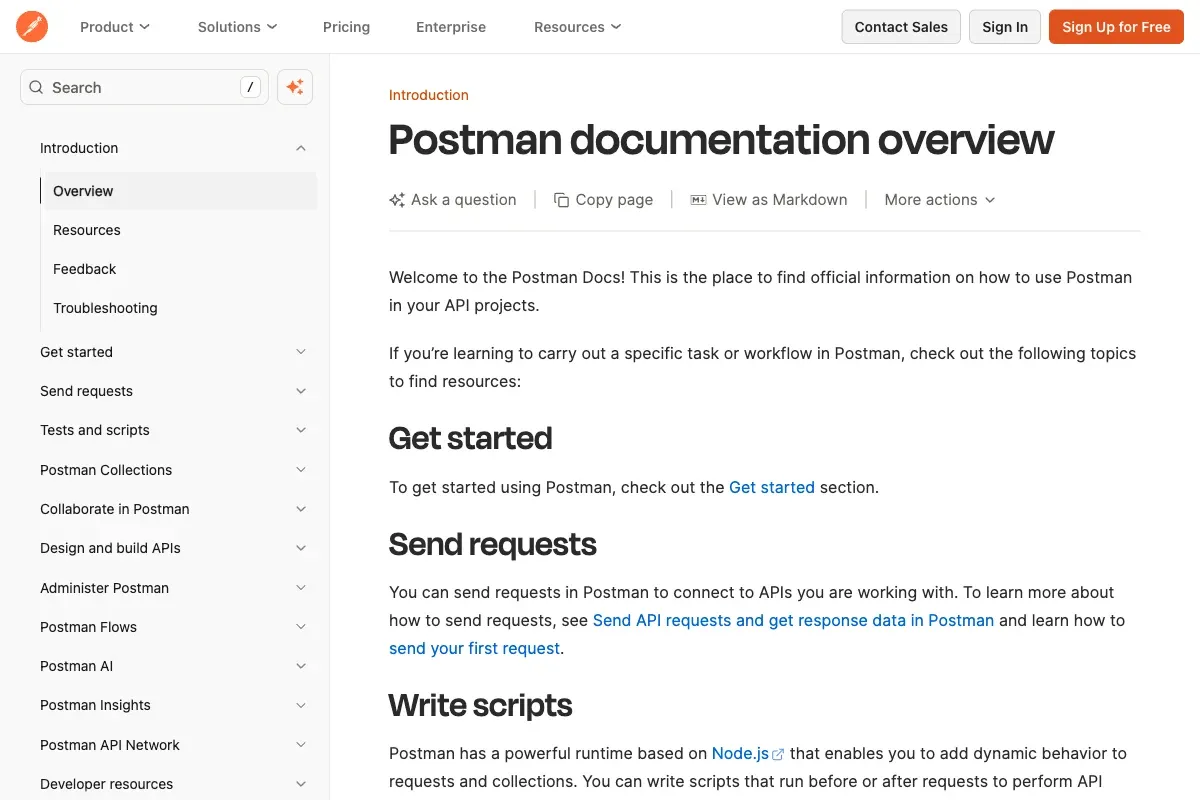
Postman isn't primarily a documentation tool. It's an API client and testing platform that happens to generate docs as a side feature. If your team already lives in Postman for building and testing endpoints, generating documentation from your collections is the path of least resistance. You document your collections, add descriptions and examples, and Postman publishes them to a web-friendly portal.
The "Run in Postman" button is the real differentiator. Developers viewing your docs can fork the collection and test endpoints locally with one click, and no dedicated docs tool replicates that workflow well. Mock servers and automated testing integrations are built in too.
But that's about where the good news ends for documentation purposes. The published docs are functional but bland, with limited customization and limited branding. If you need conceptual guides, architecture overviews, or tutorials alongside the reference, you'll need a second tool. OpenAPI is import-only (no live sync, so spec changes require re-importing), and there are no AI-readiness features at all. The free tier also tightened. It's a single user now, down from three, so any real team lands on a paid plan. Paid starts at $19/user/month on the Team plan (there's a $9 Solo tier, but it's single-seat). Not the bargain it used to be.
AI features exist (Postbot, agent mode), but they're for developers inside the Postman app — building tests, generating collections. No AI-powered chat or Q&A on the published documentation portal.
End Notes:
- postman.com | quickstart guide
- Pricing: Free for a single user, then $19/user/month on the Team plan (annual). OpenAPI is import-only with no live sync.
Honorable Mentions
Five tools isn't exhaustive. A few others show up in every roundup for good reason:
- Redocly — Open-core API docs platform. The free Redoc renderer generates a clean three-panel API reference as static HTML. Commercial platform adds Try-it consoles and API governance, starting at $10/user/month. Their open-source CLI for linting OpenAPI specs is worth using even if you host docs elsewhere.
- ReadMe — Full developer portal with analytics, "Try It" playground, and user-specific API keys in code examples. Pro starts at $250/month, with the "Ask AI" add-on a further $150/month.
- Fern — Generates client SDKs in 9+ languages, docs, and a CLI from a single API definition (now part of Postman). Strong if you need SDKs, but AI chat is metered by credits and the Team plan caps at five seats. For docs without the SDK toolchain, see how Jamdesk compares as a Fern Docs alternative.
Frequently Asked Questions
What is the best software documentation tool?
Depends on your team and workflow. For AI-first documentation with OpenAPI support and a Git-based workflow, Jamdesk is our recommendation because we're biased! After Jamdesk, we would lean towards Mintlify if it fits your budget. For teams that want full control and don't mind maintaining a React project, Docusaurus is hard to beat on flexibility. See the comparison table for a side-by-side breakdown.
Is Postman good for API documentation?
For endpoint reference, yes — especially if your team already uses Postman for testing. The "Run in Postman" button is great for adoption. For guides, tutorials, or conceptual docs, you'll need a second tool.
Do I need a dedicated API documentation tool?
If you have 3 endpoints and 10 users, a README is fine. Once you have versioned endpoints, multiple audiences, or an OpenAPI spec you want to keep in sync, a dedicated software documentation tool pays for itself by keeping docs accurate as your API grows.
What's the cheapest API documentation tool?
Free, if you self-host: Docusaurus costs nothing but your time. Among hosted tools, Mintlify's Starter and GitBook's free tier both run $0 for small projects. For paid team plans, Redocly starts at $10/seat/month, undercutting Postman's $19/user. "Cheapest" usually means trading money for maintenance hours or AI credits, though.
Which API documentation tools support OpenAPI?
Jamdesk, Mintlify, and GitBook ingest an OpenAPI 3.x spec natively and generate interactive endpoints. Docusaurus needs a community plugin. Postman is import-only: it reads your spec once but won't stay in sync as it changes. If live sync matters to you, that's the distinction to watch.
Choosing API documentation software often comes down to a head-to-head call between two platforms. For deeper breakdowns, see Mintlify vs ReadMe and GitBook vs Mintlify vs ReadMe.
When You Are Ready
Most teams should start with Docusaurus or Mintlify's free tier and see how far they get. Docusaurus gives you everything, but you'll feel it in maintenance hours. Someone on your team will end up babysitting the build pipeline. Mintlify looks better out of the box than anything else on this list, and the free Starter tier is useful now. The sting moved from the old $300 tier to the AI credits — fine if your docs are quiet, a real line item once traffic picks up and people lean on the assistant.
GitBook is the right call when your docs team includes non-developers who refuse to touch a text editor. And Postman docs are a checkbox feature, not a documentation strategy — use them if you're already there, but don't build your software documentation around them.
We built Jamdesk for teams that want AI-readiness, built-in AI chat for docs visitors, and a Git workflow without maintaining their own static site generator - and affordability is important. If that sounds like your situation, try it free for 14 days and see if the workflow clicks. If not, the other four tools are all solid. The right one is whichever matches how your team actually writes and ships.
Did we miss a tool you swear by? We update this list regularly, so let us know.
Last updated: June 25, 2026