Introducing the Jamdesk Visual Web Editor
 Jamdesk Team
Sometimes you just want to make a quick change to your docs. Or you want to see how your change looks without using any additional tooling beyond the browser. Well now you can with the Jamdesk visual web editor.
And best of all, it is included on every plan at no extra charge.
You can now edit your documentation directly in the dashboard with the web editor. There is no need to worry about a git clone, installing package, or opening a terminal. The easiest way to get started is to just open the editor on your project and start editing. Also, see our docs to learn even more about the web editor.
How it works
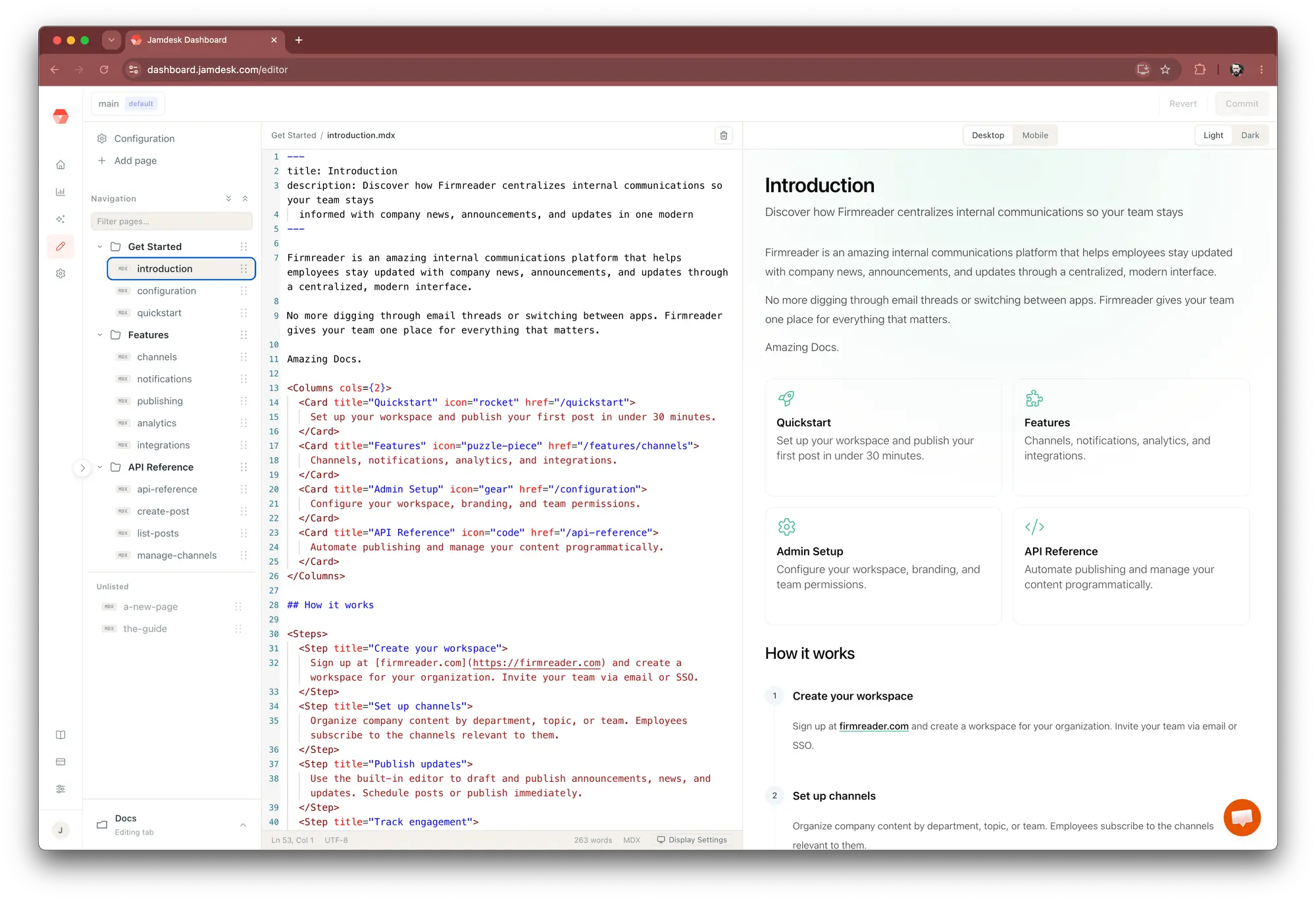
The editor gives you three panes that stay in sync. On the left sits your site navigation, read straight from docs.json, so the structure you edit is the structure your readers see. In the center is the MDX editor, with syntax highlighting and a running word count. On the right is a preview that re-renders as you type, showing the real page rather than a rough approximation.
Your edits save as drafts in the browser, so you move between pages without losing work. Nothing goes live until you decide it should. When you want to check how a page holds up, the preview toggles between desktop and mobile, and between light and dark, so you catch a layout problem before your readers do.
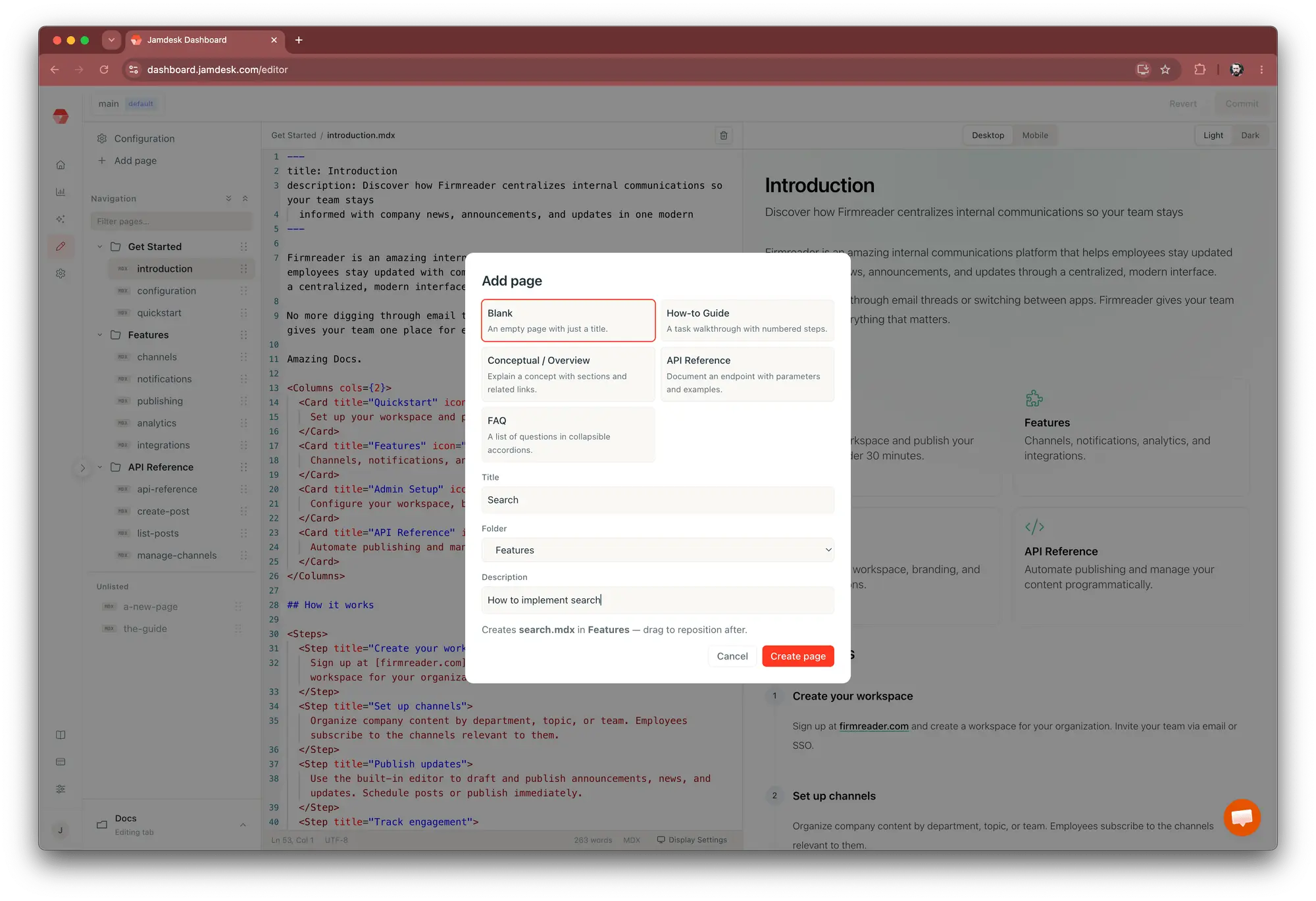
New pages follow the same short path. Choose "Add page," pick a template, and give it a title. The filename generates itself from that title, you assign the page to a navigation group, and it opens as a draft ready to write. You don't have to think too much about the file path or guess where the new entry belongs in the tree.
Committing without collisions
When the writing is ready, the commit dialog shows every file you changed. Write your own message, or select Generate and let it summarize the changes for you. The commit triggers the same build as a git push, so the browser workflow lands in exactly the same place as the local one. Teammates who work from an editor and teammates who work from the dashboard commit to the same repo, the same way.
The editor also protects you from the classic overwrite. If someone pushed a change upstream while you were editing, a three-way merge surfaces it before you commit, so your work never quietly replaces theirs. You get the convenience of a browser editor with the version history and review trail you already rely on.
Get Started
Documentation goes stale when editing it is harder than ignoring it. The web editor drops that cost to near zero, for the developer fixing a typo between meetings and for the teammate who never touches Git at all. Every edit still becomes a commit with a build behind it, so nothing about your process changes except how many people are able to take part in it.
To use it, you need a project connected to a GitHub repository and branch, and a desktop browser around 1400 pixels wide or more. All Jamdesk users get the editor as part of their plan.
Open your project in the dashboard, find a page that needs a small fix, and make the edit right there. Open the web editor.